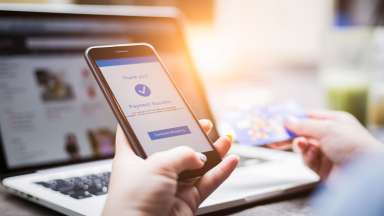

Managing your utility account just got easier. Raleigh Water has launched Raleigh Water Self-Service, a new digital portal that allows customers to pay bills, track service requests, and manage multiple accounts from any device.
Things to Know
- Make a Payment Your Way: While you can make a quick one-time payment without an account, we recommend registering to access your history and manage preferences.
- What You’ll Need: Have your account number (found on your bill), ZIP code, email address, and mobile phone ready. Registration takes only a few minutes.
Bank Bill-pay vs. AutoPay: What's the Difference?
It is important to know which service you use, as one requires action and the other does not:
| Service | Definition | Action Required? |
|---|---|---|
| Bank Bill-pay | Payments arranged through your personal bank's bill-pay service. | No. Your current setup will continue to work. |
| AutoPay | Recurring payments set up directly through the previous Raleigh Water portal. | Yes. You must re-enroll in the new portal before your next due date. |
Note for AutoPay Users: Once active, the new system will process all charges, including past-due amounts, starting with your next billing cycle.
Need a payment plan? If you have a larger-than-normal balance, visit this page or please call our team to discuss assistance options.
Other Ways to Pay
You can still make one-time payments via the Pay as Guest option online or by calling 888-905-3169. Other traditional payment methods remain available:
- By Mail:
- City of Raleigh
PO Box 71081
Charlotte, NC 28272-1081
- City of Raleigh
- In Person: Visit our downtown Raleigh office or any community town hall in Garner, Knightdale, Rolesville, Wake Forest, Wendell, or Zebulon.
- Retail: Payments are accepted at local Walmart locations.
- Still need help? Email us at customercare@raleighnc.gov or join us at one of the in-person sessions listed below.